
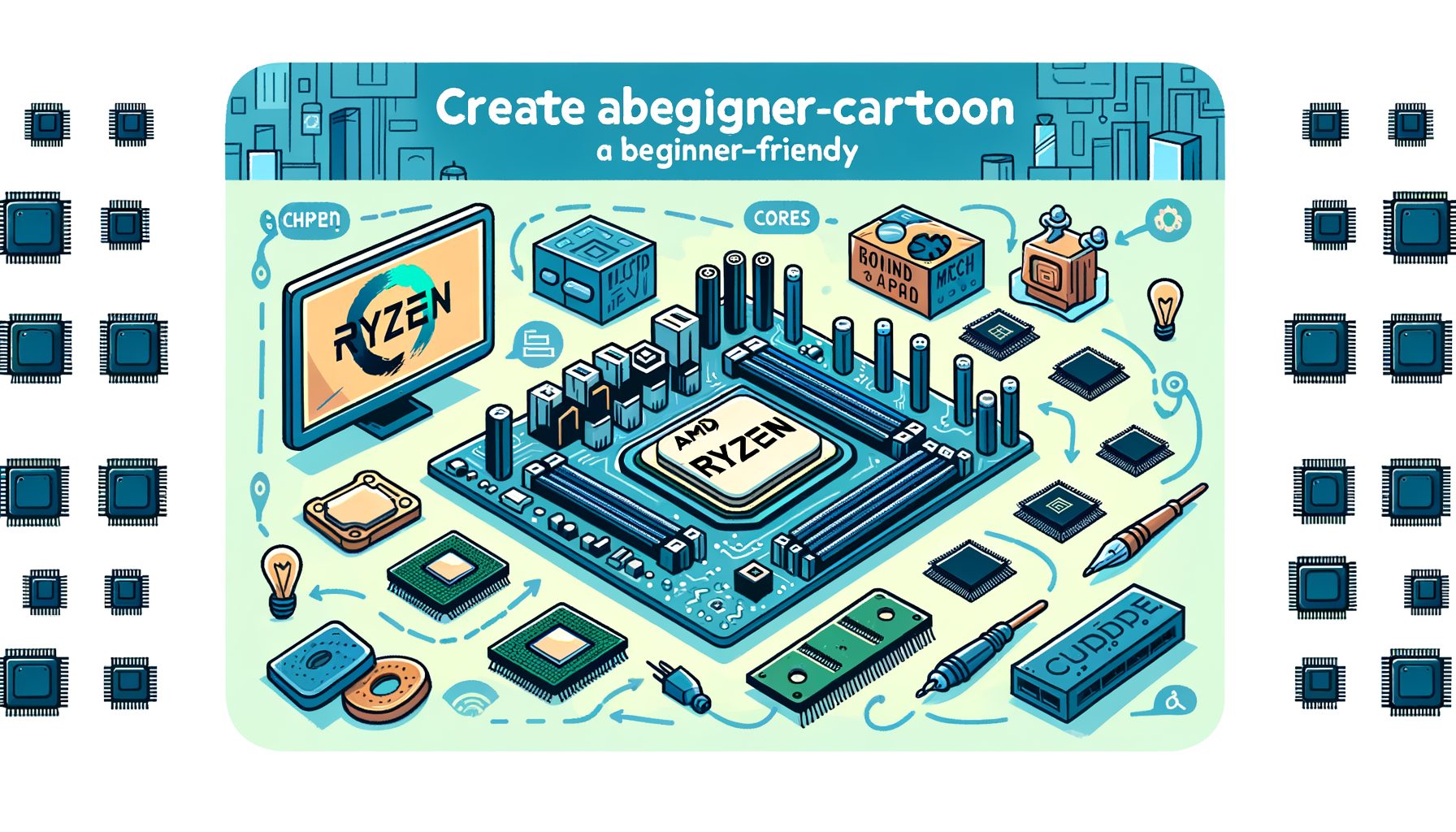
Ever tried to build or upgrade a PC and felt buried by terms like “B650E” or “X570”? You’re in good company. AMD Ryzen chipsets quietly orchestrate your computer’s features—how many fast USB ports you get, whether PCIe Gen 5 is on the table, and how far overclocking can go. In a friendly, no-jargon tour, we’ll unpack AMD Ryzen chipsets, highlight what matters (and what doesn’t), and guide you to the right motherboard with confidence. Gamer, creator, or simply curious—you’ll save time, money, and frustration.
What Does a Chipset Do, and Why Should You Care?
Picture the CPU as the brain and the chipset as the traffic controller. Computation lives on the CPU; everything else routes through the chipset: storage drives, USB devices, networking, and extra PCIe lanes for GPUs and expansion cards. On modern AMD platforms—Ryzen on AM4 and AM5—many core features come from the CPU itself (for example, PCIe lanes for the primary SSD and GPU), while the chipset layers on extra connectivity and flexibility.
Why it matters: multiple NVMe SSDs, a capture card, and a high-end GPU all compete for PCIe lanes (Gen 3/4/5), which dictate speed and stability. Moving big files or editing 4K? You’ll want fast USB-C—think USB 3.2 Gen 2×2 at 20 Gbps. Planning to overclock CPU or RAM? Robust power delivery and BIOS tools on the right chipset and board make that possible. In short, the chipset shapes all of this.
AMD splits features between CPU and chipset to keep upgrade paths open. Ryzen 5000 on AM4 ushered in PCIe Gen 4 on many boards; AM5 with Ryzen 7000/8000/9000 moves into PCIe Gen 5 and DDR5 memory. Pick a chipset to determine how many extras you can run without compromise and how “future-proof” your build feels.
Quick platform snapshot (typical, varies by board):
| Platform | Socket | CPU PCIe Generation | Memory Type | Typical Max USB Speed | Launch Window |
|---|---|---|---|---|---|
| AM4 (e.g., B450, B550, X570) | AM4 | Up to PCIe 4.0 (CPU-dependent) | DDR4 | Up to USB 3.2 Gen 2×2 (20 Gbps) on select boards | 2017–2022 era, still widely available |
| AM5 (e.g., A620, B650, X670, X870) | AM5 | Up to PCIe 5.0 (CPU + board dependent) | DDR5 | USB 20 Gbps and increasingly 40 Gbps USB4 on premium boards | 2022–present |
The takeaway: a chipset won’t raise CPU benchmark scores, yet it defines your I/O experience, upgrade flexibility, and day-to-day quality-of-life. Choose based on what you plug in today—and what you expect to add later.
AMD Ryzen Chipsets by Generation: AM4 vs. AM5 (and Where X870 Fits)
Two desktop eras anchor AMD’s Ryzen ecosystem: AM4 and AM5. AM4 boards (A320/B350/X370 through B550/X570) pair with Ryzen 1000–5000 and DDR4. AM5 boards (A620/B650/B650E/X670/X670E and the newer X870/X870E) support Ryzen 7000, 8000G, and 9000 with DDR5. Here’s the plain-English view.
AM4 highlights:
- A320/B350/X370 (early-gen): From budget to enthusiast for older Ryzen; by modern standards, I/O is limited.
- B450/X470: Hugely popular refresh—great value for gaming and general use; best with Ryzen 2000/3000/5000.
- B550: The sweet spot for PCIe 4.0 GPUs and a single Gen 4 NVMe on CPU lanes; enough USB and M.2 for most builds.
- X570: Enthusiast AM4; more PCIe 4.0 lanes, better multi-drive support, stronger VRMs; early boards sometimes used tiny chipset fans.
AM5 highlights:
- A620: Entry-level AM5; typically no CPU OC; fewer PCIe/USB options; ideal for simple gaming or office PCs.
- B650/B650E: Mainstream heroes; B650 excels already, while B650E guarantees more PCIe Gen 5 for GPU or storage.
- X670/X670E: High-end; extra connectivity, stronger power delivery, and more Gen 5 options—excellent for creators and heavy multitaskers.
- X870/X870E: Launched alongside Ryzen 9000; pushes wider USB4 adoption, PCIe Gen 5 storage, and overall platform refinements.
Typical feature comparisons (general tendencies—exact specs vary by motherboard model):
| Chipset | Overclocking | PCIe Gen (from CPU) | Extra PCIe from Chipset | USB Highlights | Target User |
|---|---|---|---|---|---|
| A620 | Usually no CPU OC | Up to Gen 5 GPU/SSD (board-dependent) | Fewer lanes total | Basic USB-C, limited 20 Gbps | Budget AM5, simple builds |
| B550 | Yes (on many boards) | Gen 4 from CPU | Gen 3 from chipset (commonly) | Good mix; some 10/20 Gbps | Mainstream AM4 gaming |
| X570 | Yes | Gen 4 everywhere | More total PCIe | More high-speed USB | AM4 power users |
| B650 / B650E | Yes | Gen 5 capability (varies) | Enough for 2–3 NVMe + add-ins | Strong 10/20 Gbps; some USB4 on premium | Best AM5 value |
| X670 / X670E | Yes | More Gen 5 lanes exposed | Higher port count | More 20 Gbps, more headers | Enthusiast AM5 |
| X870 / X870E | Yes | Gen 5 focus for storage/GPU | Ample for expansions | Wider USB4 adoption, high-speed USB-C | Next-gen AM5, Ryzen 9000 |
Key point: chipsets shape I/O potential, not raw FPS. Many gamers will be thrilled with a solid B650 or B550. Creators juggling multiple NVMe drives, Thunderbolt/USB4 workflows, or capture/10GbE cards benefit from X670/X870 headroom. Always read the exact motherboard spec sheet—two boards sharing a chipset can feel worlds apart in ports, VRMs, and BIOS polish.
How to Choose the Right Ryzen Chipset for Gaming, Creation, and Everyday Use
Begin with your goals and budget. Then map features to needs. A simple framework works from entry-level to high-end.
Step 1: List non-negotiables. Need Wi‑Fi, 2.5G LAN, or 10GbE? How many NVMe SSDs? Is USB-C 20 Gbps a must? Planning for PCIe Gen 5 now (or later)? For 1080p/1440p gaming with one NVMe and one GPU, a mainstream chipset (B550 on AM4 or B650 on AM5) usually nails it. Streaming with two or more NVMe drives plus a capture card? X570/X670 adds lanes and ports.
Step 2: Match the CPU generation. On AM4, Ryzen 5000 (5600, 5700X, 5800X3D) pairs best with B550 or X570. On AM5, Ryzen 7000/8000G/9000 aligns well with B650/X670/X870. If in doubt, check the board’s CPU support list (QVL). BIOS updates often extend support, but avoid tricky boot-kit scenarios unless you’re comfortable.
Step 3: Weigh memory and storage. AM4 means DDR4—affordable and mature. AM5 means DDR5—higher bandwidth and better long-term scaling. Creators love fast scratch drives: a Gen 4 or Gen 5 NVMe on CPU lanes accelerates timelines and exports. What’s interesting too: some boards share lanes; populating extra M.2 slots can reduce GPU or USB bandwidth. Manuals explain the trade-offs.
Step 4: Consider thermals and power delivery. Overclocking or running high-core CPUs? Seek stronger VRMs and heatsinks—more common on X-series and premium B-series boards. Even at stock clocks, stable power improves boost behavior and reliability.
Step 5: Future-proof with restraint. You don’t need every new feature today. Well, here it is: picking AM5 with PCIe 5.0 M.2 and potential USB4 can extend your build’s life. X870/X870E pushes those features up front; B650 remains a killer value for most. Then this: don’t overpay for features you’ll never use—invest in CPU, GPU, or a better SSD instead.
Practical picks:
- Budget gaming/builds: A620 (AM5) or B450/B550 (AM4) with a midrange CPU. Keep it simple: one NVMe, one GPU, built-in Wi‑Fi if needed.
- Mainstream gaming/streaming: B650 (AM5) or B550/X570 (AM4). Aim for at least one PCIe 4.0 NVMe and 2.5G LAN/Wi‑Fi 6.
- Content creation: X670/X870 (AM5) or X570 (AM4). Multiple NVMe slots, USB 20 Gbps or USB4, strong VRMs, and richer I/O.
- Small form factor (ITX): Prioritize layout and rear I/O. A B650 ITX board can be loaded, but ensure enough USB and an extra M.2 slot if required.
Bottom line: choose a board that meets today’s needs with a touch of headroom. For most, B650 is the AM5 sweet spot; creators and heavy multitaskers get more from X670/X870.
Future-Proofing, BIOS Updates, PCIe Versions, and Memory: What to Watch
Platform longevity is an AMD strength. AM4 spanned years across multiple Ryzen generations, and AM5 carries that approach with DDR5 and PCIe Gen 5. Future-proofing works best when a few details are understood.
BIOS and CPU support: even when a chipset can host a newer CPU, a BIOS update may be required. Many boards offer CPU-less flashing (BIOS FlashBack, Q-Flash Plus). Building new? Favor boards manufactured recently or labeled compatible out of the box. Upgrading? Read the vendor’s CPU support list and update steps closely.
PCIe versions: Gen 3 handles plenty; Gen 4 doubles bandwidth; Gen 5 doubles it again. For GPUs, Gen 4 x16 is more than enough today. For storage, Gen 4 NVMe is a huge leap over SATA; Gen 5 shines in heavy workloads (big project files, AI/ML datasets, scratch disks) but needs serious cooling. B650 often grants one Gen 5 M.2; X670/X870 can spread Gen 5 across more devices.
USB and USB4: naming is confusing. Look for “USB 3.2 Gen 2×2 (20 Gbps)” for fast external SSDs. USB4 (up to 40 Gbps) shows up on premium AM5 boards and is increasingly common on X870/X870E. Dock users, high-speed external storage, or DisplayPort over USB-C fans will appreciate it.
Memory: DDR4 (AM4) is friendly on budgets and well matured; DDR5 (AM5) raises bandwidth and improves overclocking profiles over time. On AM5, target DDR5-6000 sweet-spot kits with EXPO for easy tuning. Always consult your board’s QVL to avoid compatibility headaches.
Thermals and noise: early X570 boards sometimes used small chipset fans, adding a bit of noise. AM5 chipsets are mostly passive. High-speed NVMe drives run hot—use M.2 heatsinks and ensure airflow over the storage area. Cooler parts mean more stability and longevity.
Operating system and drivers: on Windows, install the AMD Chipset Driver for best power states and scheduling. On Linux, modern kernels support AMD platforms well—keep firmware (BIOS/UEFI) updated for the latest microcode and device fixes.
In short: plan for a couple of years of growth. Prioritize PCIe 4/5 M.2 support, an easy BIOS update path, and the USB speeds you’ll actually use. That’s real future-proofing.
Real-World Build Examples: What Changes With the Chipset?
Example 1: Midrange gaming and streaming. CPU: Ryzen 5 7600. GPU: a midrange RTX or Radeon. Storage: one 1TB PCIe 4.0 NVMe. Chipset choice: B650. Result: quick boots, smooth gaming, and space for a second NVMe later. Many models include 2.5G LAN and Wi‑Fi 6/6E, plus multiple 10 Gbps USB ports. PCIe 5 isn’t necessary for the GPU, yet having Gen 5 for a future SSD is a nice bonus. The build feels modern, quiet, and affordable.
Example 2: Creator workstation with multiple SSDs. CPU: Ryzen 9 (AM5). GPU: high-end. Storage: two or three NVMe drives (scratch + projects + archive). Capture card or 10GbE add-in. Chipset choice: X670 or X870. Result: more lanes and more physical slots. Expect multiple M.2 at Gen 4/5, richer high-speed USB/USB4 options, and stronger VRMs for sustained performance. Timelines scrub smoother, big transfers avoid bottlenecks, and the GPU stays full-speed alongside add-in cards.
Example 3: Value refresh on AM4. CPU: Ryzen 7 5800X3D. Chipset choice: B550. Result: top-tier gaming on DDR4 at a low platform cost. One Gen 4 NVMe is plenty for most users; redirect savings to a better GPU or monitor. AM4 still delivers excellent value for upgrades.
Performance reality check: moving from B650 to X670 won’t magically raise FPS if CPU and GPU are unchanged. What you feel is I/O convenience and flexibility—more fast ports, more SSDs, better connectivity, and often cooler, steadier performance under load.
User experience notes: check rear I/O layouts, internal headers (especially front-panel USB-C), and included M.2 heatsinks. Also watch clearances—huge GPUs can block M.2 slots or headers on compact boards. A quick read of user reviews and the manual’s “PCIe bifurcation” or “lane sharing” tables prevents surprises.
Troubleshooting and a Smart Buying Checklist
Before buying, run this checklist:
- Compatibility: verify CPU support and any required BIOS version on the board’s CPU support page.
- Memory QVL: confirm your RAM kit is tested—especially AM5 DDR5 with EXPO.
- Storage layout: count M.2 slots and note Gen 4/5 wiring. Check whether certain M.2 slots disable SATA ports or lower PCIe lanes elsewhere.
- USB/USB-C needs: do you require USB 20 Gbps or USB4? Confirm rear I/O and front-panel headers match your case.
- Networking: decide on Wi‑Fi (6/6E/7) and LAN speed (1G vs 2.5G vs 10G). Add-in cards need spare slots and lanes.
- Power delivery: for high-core CPUs or OC, look for robust VRMs and decent heatsinks.
- Form factor: ATX offers more slots; mATX and ITX save space but limit expansion.
Common fixes:
- No boot with new CPU: update BIOS using the FlashBack/USB method if available. Test with one RAM stick in the recommended slot.
- USB or SSD instability: update chipset drivers and BIOS, reseat cables, and check the manual for lane-sharing conflicts.
- Thermal throttling on NVMe: add or adjust heatsinks and direct case airflow toward the M.2 area.
- Memory instability: load EXPO/XMP at a moderate setting (e.g., DDR5-6000 on AM5) and update BIOS to improve memory training.
A little prep—and attention to fine print—turns a risky purchase into a confident build.
Q&A: Common Questions About AMD Ryzen Chipsets
Q1: Do I need X670 or X870 to get PCIe Gen 5?
Not always. Many B650 boards offer at least one PCIe 5.0 M.2 slot. X670/X870 typically add more Gen 5 and broader connectivity.
Q2: Will a better chipset increase my gaming FPS?
Generally, no. FPS depends on CPU/GPU. The chipset improves I/O (more/faster ports, storage) and stability, not raw frame rates.
Q3: Can I use DDR4 with AM5?
No. AM5 is DDR5-only. For DDR4, consider AM4 platforms like B550 or X570.
Q4: Is USB4 the same as Thunderbolt?
USB4 is often compatible with Thunderbolt 3 and reaches up to 40 Gbps. Actual support depends on the specific motherboard implementation.
Q5: Should I upgrade from B550 to B650?
Upgrade if you want AM5 CPUs, DDR5, and Gen 5 storage. If your AM4 system meets your needs, B550 remains a strong value.
Conclusion: Choose With Clarity, Build With Confidence
We covered what a chipset does, how AMD splits features across CPU and chipset, the AM4–AM5 generational split, and where families like A620, B550, X570, B650, X670, and X870 fit. The core message stays simple: a chipset won’t change your CPU’s raw speed, yet it dramatically shapes your experience—how many fast drives you can run, how tidy your setup is with USB-C and USB4, how painless upgrades feel, and how quiet and stable the system remains. Gamers often thrive on B650 or B550; creators and power users lean into X670 or X870; budget or compact rigs shine with A620 or well-chosen ITX boards.
Your move: list non-negotiables (storage, ports, Wi‑Fi), pick a platform generation (AM4 for DDR4 value, AM5 for DDR5 and next‑gen features), and match the chipset to your workload. Cross-check the CPU support page and memory QVL, confirm M.2 and USB specs, and commit only after that. When torn between two boards, choose the one with better documentation, stronger VRMs, and clearer BIOS support—you’ll thank yourself later.
Here’s a quick exercise: open three motherboard product pages—one budget, one mainstream, one high-end—and compare rear I/O, M.2 layout, USB speeds, and BIOS features side by side. The right fit will jump out. Invest in the platform that supports your next 3–5 years, not just the next game patch.
Your perfect PC is closer than you think. Start small, choose smart, and build something you’re proud of. What’s the one feature you refuse to compromise on in your next motherboard?
Helpful Outbound Resources
- AMD AM5 Chipsets Overview
- AMD Support and Chipset Drivers
- USB Version Definitions (USB-IF)
- PCI-SIG: PCIe Specifications
- AMD EXPO Memory Profiles
- Windows Support and Linux Kernel Documentation
Sources
- AMD. AM5 and AM4 Chipset Documentation and Product Pages: https://www.amd.com/
- PCI-SIG. PCI Express Base Specifications: https://www.pcisig.com/
- USB Implementers Forum (USB-IF). USB 3.2 and USB4 Resources: https://www.usb.org/
- Motherboard vendor manuals (ASUS/MSI/Gigabyte/ASRock) for lane-sharing and feature details.