
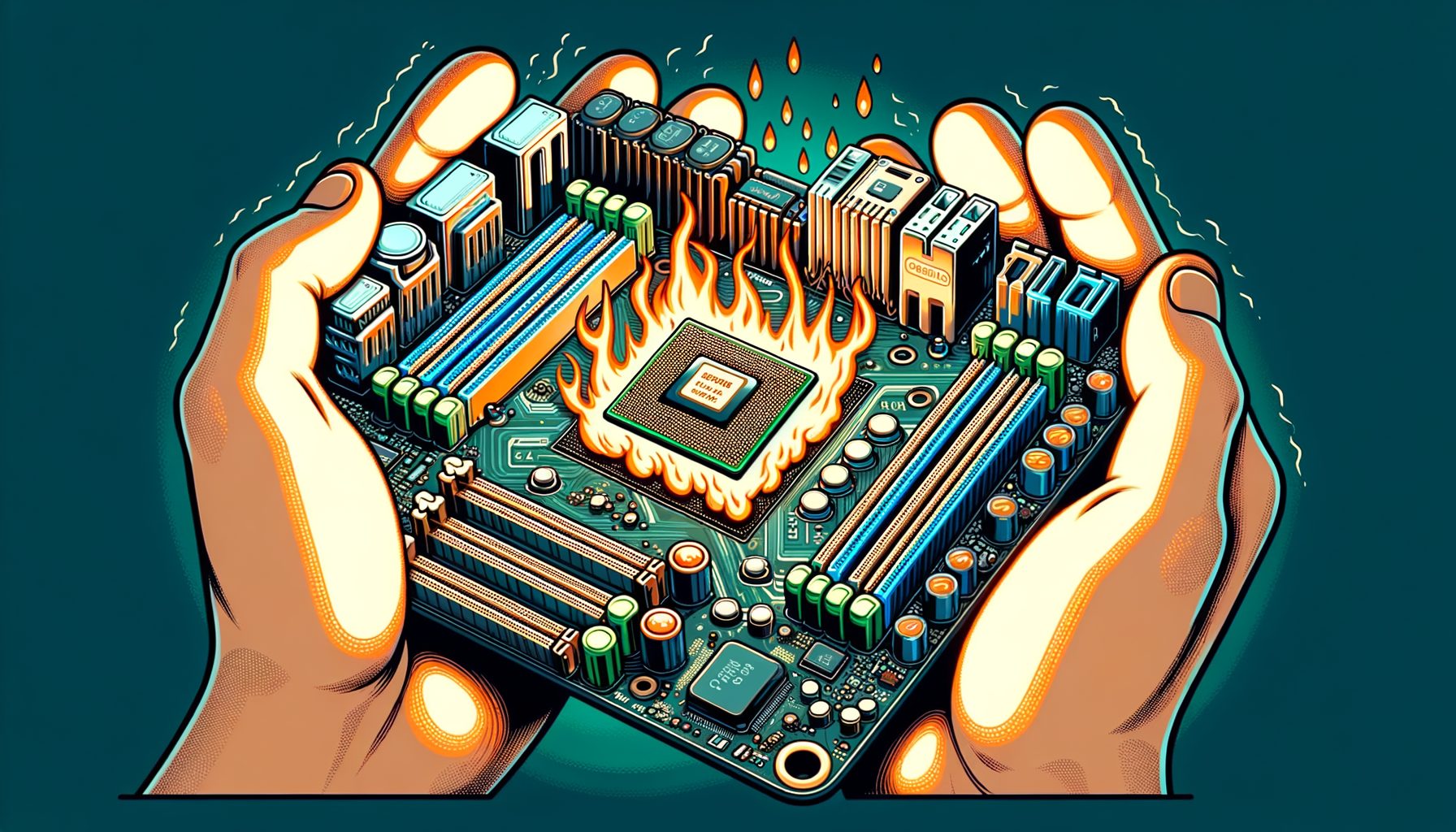
If you have ever tried to push your PC for extra performance and hit a wall, you may have wondered why some motherboard chipsets can’t overclock. In this guide, you’ll learn the real reasons behind overclock limits, how CPU and motherboard design interact, and how to choose parts that deliver reliable gains. By the end, you will understand the technical, policy, and practical factors that decide whether your system can overclock—and how to plan an upgrade that actually meets your goals.
The Core Reason Some Chipsets Can’t Overclock
The simplest answer is that overclocking is not only about raw hardware capability; it is also about platform policy and validation. A chipset acts as the traffic controller of your PC, connecting the CPU to storage, networking, graphics lanes, and peripherals. Manufacturers validate each chipset for certain power, heat, and signal-integrity envelopes. If a chipset is designed and validated for mainstream, low-risk operation, it may lack the firmware hooks and electrical headroom to support stable CPU multiplier or base-clock changes. Even when the silicon could technically handle it, vendors often lock the feature to avoid support burdens, warranty claims, and unpredictable stability for average users.
Overclocking increases current and heat. That stress does not live only in the CPU. It runs through motherboard traces, voltage regulator modules (VRMs), and even the chipset’s clocking fabric. Entry-level chipsets usually ship on boards with simpler VRMs and thinner heatsinks. That matters because modern CPUs can spike far above their rated power during boosts, and an overclock pushes those spikes higher and longer. Without robust VRMs, clean power delivery, and strong cooling, minor frequency gains become unstable or unsafe. So many vendors restrict overclocking at the chipset tier where those supporting components are not guaranteed to be sufficient.
Segmentation, in the end, is a strategic choice. Intel and AMD separate their product stacks so users who want advanced tuning buy higher-end chipsets and, sometimes, specific CPU models. Firmware and microcode enforce these rules. For example, Intel typically enables CPU multiplier overclocking only on Z-series chipsets paired with “K” CPUs. AMD generally unlocks CPU overclocking on most consumer chipsets, but exact behavior and features differ by tier. Such policies reduce user confusion, protect OEM warranties, and help vendors manage validation costs—key reasons why some motherboard chipsets can’t overclock, even if they look similar on paper.
CPU, VRM, and BIOS: How Overclocking Actually Works
To understand lockouts, it helps to know what changes during an overclock. Most consumer overclocks raise CPU frequency via the multiplier (ratio) or the base clock (BCLK). Multiplier tuning is the cleanest because it targets the cores without disturbing other buses. Base clock tuning adjusts a fundamental clock signal that other components reference; if the platform does not isolate those buses with independent generators, raising BCLK can destabilize storage, PCIe, and memory. That is why many chipsets lock BCLK or offer only tiny ranges. When vendors disable multiplier control at the chipset level and keep BCLK tight, CPU overclocking is effectively off the table.
Power delivery is the next piece. The VRM converts 12 V from the power supply into low-voltage, high-current power for the CPU. Overclocking raises current demand and heightens transient spikes. High-quality VRMs use better power stages, more phases, and large heatsinks to keep temperatures under control. Board features like load-line calibration (LLC) help manage voltage droop under load. Entry-level boards on non-OC chipsets often include simpler VRMs and minimal heatsinks. What’s interesting too: even if BIOS sliders exist, sustained overclocks can cause throttling or instability because the VRM overheats or the voltage sags when the CPU turbos.
The BIOS (or UEFI) exposes tuning features: per-core ratios, voltage offsets, memory profiles (XMP/EXPO), and power limits. When a chipset is “locked,” these menus are trimmed or hidden. Some boards still allow memory overclocking even if CPU overclocking is disabled, because the memory controller and DRAM profiles are validated more broadly. On Intel, it is common to see memory OC enabled on B-series chipsets while CPU OC is restricted; on many AMD chipsets, both CPU and memory tuning are available, but power delivery still sets practical limits. In short, CPU, VRM, and BIOS must all align; if any link in the chain is weak or locked, meaningful overclocking will not be possible.
Brand Policies by Platform (Plus a Quick Reference Table)
Platform rules change by generation, but the overall pattern is consistent. Intel separates CPUs and chipsets into OC and non-OC classes. Generally, only “K” or “KF” processors support multiplier overclocking, and only on Z-series chipsets (for example, Z790). B- and H-series chipsets emphasize affordability and stability, often allowing memory overclocking but not CPU ratio changes. Base clock ranges are very limited to avoid breaking PCIe and storage reliability. AMD’s Ryzen CPUs are usually unlocked for overclocking across chipsets, but the level of board validation, VRM quality, and BIOS features varies from A620 up through B650 and X670. While you can often overclock on B650, A620 is constrained, and X670/X670E offers the most robust support and I/O for enthusiasts.
Server and workstation platforms are different. Intel Xeon and AMD Threadripper Pro boards target reliability first and typically restrict overclocking entirely. OEM prebuilt systems may also lock BIOS options even if the chipset would support them, because vendors prioritize consistency for support. Historical loopholes—like early “non-K OC” experiments on certain Intel generations—have been closed with microcode updates, underscoring that policies are deliberate and enforced at multiple layers. Users should always check the exact CPU and motherboard combination rather than assuming features based on brand alone.
Well, here it is: a compact reference to illustrate current mainstream behavior (always verify on the vendor page for your specific board and CPU):
| Platform | Typical Chipsets | CPU Overclocking | Memory Overclocking | Notes |
|---|---|---|---|---|
| Intel 12th–14th Gen | Z790/Z690, B760/B660, H770/H610 | Z-series with K/KF CPUs only | Often on Z/B/H (varies by board) | B/H restrict CPU ratios; BCLK tightly limited |
| AMD Ryzen 5000–7000 | X670/X670E, B650/B650E, A620; X570/B550 | Generally enabled; A620 limited | Enabled with EXPO/XMP on most boards | Quality of VRM and BIOS features varies by tier |
| Workstation/Server | TR Pro WRX80, Intel W-series, Xeon chipsets | Typically disabled | Limited; tuned for stability | Designed for reliability and long support cycles |
For official references and utilities, see Intel ARK for CPU features and Intel XTU for tuning on supported platforms, and AMD’s guides for Precision Boost Overdrive (PBO) and EXPO memory profiles: https://ark.intel.com, https://www.intel.com/content/www/us/en/download/17881/intel-extreme-tuning-utility-intel-xtu.html, and https://www.amd.com/en/technologies/expo.
How to Choose an Overclock-Friendly Motherboard (Step-by-Step)
Start with your CPU. On Intel, make sure the model ends with “K” or “KF” if you want multiplier control, and pair it with a Z-series chipset. On AMD, most Ryzen desktop CPUs are unlocked, but pairing them with B650 or X670 offers better VRMs and tuning features than A620. Next, research the VRM design of specific boards. Look for independent reviews that measure VRM temperatures under load. Larger heatsinks, more power stages, and clear airflow paths are all good signs. Overclocking stability depends more on VRM quality and cooling than on flashy aesthetics or marketing names.
Check the BIOS feature set. You want per-core ratios, voltage offset and curve controls, memory training options, and load-line calibration levels. A rear-panel BIOS Flashback button is helpful for recovery if a tuning attempt fails. A clear CMOS button or jumper and a debug display save time during testing. For memory, pick kits that match your platform (XMP for Intel, EXPO for AMD) and cross-reference the motherboard’s QVL so the exact model is validated. Better vendors update QVLs often, which is a good signal for ongoing support.
Plan the entire thermal and power budget. Choose a power supply with headroom above your CPU and GPU’s combined peak draw; quality units handle transient spikes better. Pair the CPU with an appropriate cooler: tower air coolers are great for moderate overclocks, while high-end AIO liquid coolers help for sustained heavy loads. Ensure your case airflow is balanced with clear intake and exhaust paths. Then this: test methodically. Increase frequency or reduce voltage in small steps, run stress tests (Cinebench, OCCT, Prime95, MemTest86), and monitor temperatures to keep them within safe margins. Documentation and utilities from vendors like AMD (PBO/Curve Optimizer) and Intel (XTU) make the process more predictable.
FAQ: Why Some Motherboard Chipsets Can’t Overclock
Why can I enable XMP/EXPO on a “non-OC” motherboard but not change CPU multipliers? Memory overclocking and CPU overclocking are validated differently. Many mainstream chipsets allow memory profile tuning because the risk to platform stability is lower and the memory controller is designed for such profiles. CPU ratio changes raise core power draw and transient stress on VRMs. Vendors often lock CPU multipliers on lower-tier chipsets but allow memory profiles to give users performance gains without the support burden of CPU overclocking.
Can I bypass limits with base clock (BCLK) overclocking? Usually not in a reliable way. Modern platforms tightly couple many buses to the base clock, and chipsets often cap BCLK adjustments to a narrow range. Some high-end boards add external clock generators to isolate BCLK, but that is rare outside enthusiast models and still depends on CPU and firmware support. For daily systems with storage and PCIe devices, large BCLK changes tend to break stability.
Does overclocking always void my warranty? Warranty terms vary by region and brand. CPU warranties from Intel and AMD generally do not cover damage from user overclocking, although AMD’s PBO is a gray area because it is a sanctioned feature that still increases power and heat. Motherboard vendors usually state that using overclocking features is at your own risk. If warranty protection is critical, run stock settings or use conservative, vendor-documented features only. Check the policy pages: Intel warranty info at https://www.intel.com/content/www/us/en/support/articles/000020613/processors.html and AMD warranty at https://www.amd.com/en/support/kb/warranty-information/rma-01.
My prebuilt PC has a capable CPU and chipset, but the BIOS has no tuning options. Why? OEM systems often ship with customized firmware that hides or disables advanced settings. That reduces support complexity and ensures consistent thermals for the shipped case and cooler. Even if the chipset technically supports overclocking, the OEM can lock features. Enthusiast features are more common on retail motherboards from ASUS, MSI, Gigabyte, ASRock, and others where the end user controls cooling and upgrades. If overclocking matters, confirm BIOS options before you buy.
What are safe voltage and temperature targets for daily overclocks? Targets vary by CPU generation, but many users aim to keep all-core loads below 90°C and long-term Vcore under roughly 1.30–1.35 V on modern desktop chips for daily use. AMD’s Curve Optimizer and Eco modes reduce voltage for better efficiency, while Intel’s undervolting with adaptive offsets can lower temperatures without sacrificing boost behavior. Always validate with multi-hour stress tests and real workloads, and prioritize stability over an extra 50–100 MHz.
Conclusion
In short, some motherboard chipsets cannot overclock because of a mix of technical limits, validation choices, and business policies. Overclocking stresses not only the CPU but also the motherboard’s VRMs, chipset clock fabric, and cooling solution. Vendors gate higher-risk tuning to higher-end chipsets and, sometimes, special CPUs, where boards are validated for the extra thermal and electrical load. That’s why Intel reserves CPU multiplier control for K/KF chips on Z-series motherboards, while AMD generally unlocks Ryzen CPUs but still differentiates features and power delivery across A, B, and X tiers. Understanding these layers—CPU capability, VRM quality, BIOS features, and platform policy—turns a confusing topic into a predictable checklist.
If you want more performance, start by confirming what your CPU and chipset officially support on Intel ARK or AMD’s product pages. Then evaluate specific motherboards for VRM thermals, BIOS options, and memory QVLs. Plan your cooling and power supply with headroom, and tune methodically using vendor tools like Intel XTU and AMD PBO/Curve Optimizer. If your current platform is locked, you can often gain smooth everyday speed by enabling XMP/EXPO, optimizing case airflow, updating BIOS, and applying safe undervolts. When you are ready to upgrade, match an OC-ready CPU with a board known for strong VRMs and recovery features like BIOS Flashback and clear CMOS.
Your next step: check your motherboard manual and product page right now, verify overclocking support, and note any BIOS updates. If you are shopping, shortlist two boards—one mainstream and one enthusiast—then read thermal and stability reviews for both. A small amount of research can save hours of troubleshooting later and deliver a system that is fast, quiet, and reliable. Push smart, not just hard. What is the one upgrade—better cooling, stronger VRM board, or tuned memory—you will tackle first to unlock safer performance gains?
Sources and further reading:
Intel ARK (official CPU specifications): https://ark.intel.com
Intel Extreme Tuning Utility: https://www.intel.com/content/www/us/en/download/17881/intel-extreme-tuning-utility-intel-xtu.html
AMD EXPO memory profiles: https://www.amd.com/en/technologies/expo
AMD Precision Boost Overdrive and Curve Optimizer overview: https://www.amd.com/en/support
MemTest86: https://www.memtest86.com
Prime95: https://www.mersenne.org/download/
OCCT: https://www.ocbase.com/
Tom’s Hardware motherboard and VRM reviews: https://www.tomshardware.com
GamersNexus testing and thermal analyses: https://www.gamersnexus.net