
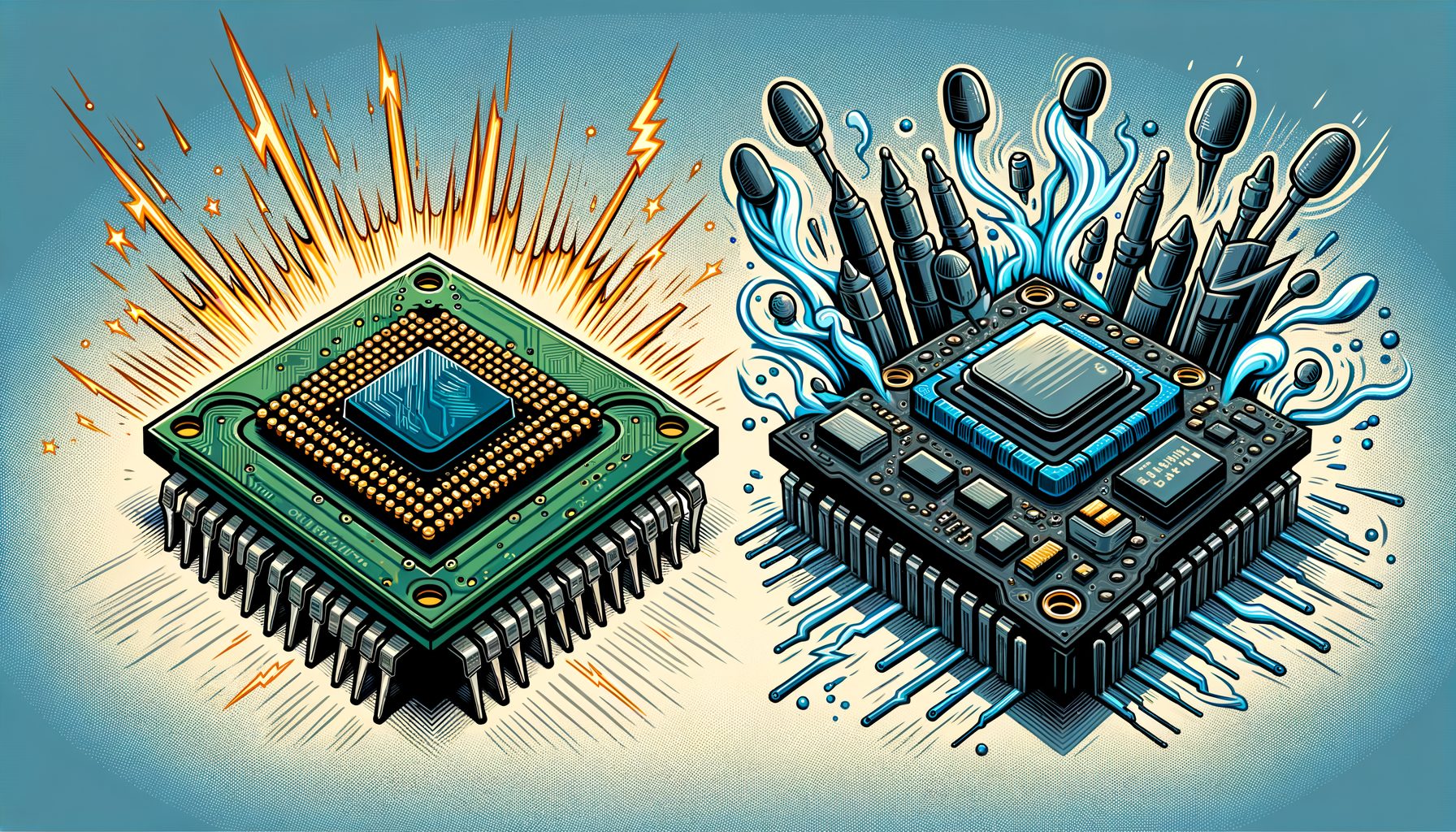
Choosing a motherboard can feel confusing, especially when you are comparing Intel Z-series vs B-series chipsets. The main problem is simple: you do not want to overpay for features you will never use, but you also do not want to limit your CPU, storage, or future upgrades. In plain language, this guide breaks down the differences and value so you can make a confident, smart purchase—whether you are building a gaming rig, a creator workstation, a small business desktop, or a compact home PC.
The differences that actually matter between Intel Z-series and B-series chipsets
At a glance, Z-series is Intel’s “premium, full-featured” mainstream chipset tier, while B-series is the “value mainstream” tier. They both support the same mainstream Intel processors (for example, 12th–14th Gen on LGA1700 boards such as Z690/Z790 and B660/B760), and both can run powerful CPUs without issue. The key differences revolve around control and capacity: overclocking, lane count, I/O flexibility, and board-level design.
Overclocking control. Z-series enables CPU overclocking for unlocked “K” processors (like Core i5-13600K, i7-13700K, i9-13900K, i7-14700K, i9-14900K). On B-series, CPU ratios are locked. Even so, both Z and B typically allow memory overclocking (XMP/EXPO) on modern generations. If you plan to tune CPU multipliers or push high all-core clocks, Z-series is the clear choice. If you run at stock or only tweak memory, B-series is often enough. Well, here it is: match the board to the way you actually plan to operate the CPU.
Connectivity headroom. Z-series chipsets usually provide more PCIe lanes from the chipset, a wider DMI link to the CPU, and more USB and SATA options. What does not change are the CPU’s own PCIe lanes (which feed the main GPU and a primary NVMe slot), but the chipset still dictates how many additional NVMe drives, capture cards, or high-speed USB ports a board can offer without trade-offs. Content creators and expansion-heavy users see the most benefit here.
Board design and VRM. While the chipset sets rules, motherboard makers decide power delivery (VRM), cooling, audio codecs, and networking. Z boards often ship with stronger VRMs and better heatsinks because buyers expect high-end tuning. That said, many quality B-series boards handle top CPUs at stock power limits safely; individual reviews and specifications should be checked.
Memory type and features. Whether a board uses DDR4 or DDR5 is a motherboard choice, not a chipset rule. With LGA1700, early Z690/B660 boards came in DDR4 or DDR5 variants; Z790/B760 skew toward DDR5 but DDR4 models exist in some regions. Both Z and B can deliver PCIe 4.0 NVMe storage, integrated Wi‑Fi on certain models, and 2.5 GbE networking—depending on the exact board.
Well, here it is: a high-level comparison focused on common, current-gen Intel platforms (naming examples only; confirm specifics on the motherboard’s product page):
| Feature | Z-series (e.g., Z790) | B-series (e.g., B760) |
|---|---|---|
| CPU overclocking | Yes (with unlocked “K” CPUs) | No (CPU ratios locked) |
| Memory overclocking (XMP) | Yes | Yes |
| Chipset PCIe lanes | More total lanes, more flexibility | Fewer lanes, adequate for simpler builds |
| DMI bandwidth to CPU | Higher (helps heavy I/O builds) | Lower (still fine for typical use) |
| USB/SATA options | Generally more ports and faster options | Fewer high-speed ports overall |
| Typical motherboard price | Mid-to-high ($200–$500+) | Budget-to-mid ($100–$220) |
Bottom line: Z-series is about maximum control and expansion. B-series is about getting 90% of what most people need for significantly less money. If you will not overclock the CPU and do not need many extra PCIe devices or high-port USB configurations, B-series usually offers better value.
For official chipset documentation, see Intel Ark pages such as Intel Z790 Chipset and Intel B760 Chipset on ark.intel.com. Always verify features on the specific motherboard product page because manufacturers implement features differently even within the same chipset family.
Real-world performance and use cases: gaming, creating, and work
In practice, performance differences between Z and B chipsets are small when you run the same CPU at default settings. Your GPU, CPU model, and memory speed matter far more than the chipset label. As a result, a Core i5-13600K on a competent B760 board will game almost identically to the same CPU on a Z790 board—at stock. A gap appears only if you overclock CPU cores or if your workflow demands a lot of extra high-speed I/O that a Z board can feed more efficiently.
Gaming. For 1080p and 1440p, the GPU is typically the bottleneck, followed by CPU architecture and clocks. If you are not planning to overclock the CPU, a well-reviewed B-series board paired with fast DDR5 (or tuned DDR4 on earlier platforms) delivers the same frames per second as Z-series in most titles. Frames are frames. Competitive esports players who chase every last MHz for high refresh-rate monitors may prefer Z-series to dial in a tuned P-core/E-core strategy and ring/cache adjustments, but casual and mainstream gamers rarely need it.
Content creation. Video editors, 3D artists, and streamers often use multiple NVMe drives, capture or audio cards, and many USB devices. What’s interesting too, Z-series makes life easier: more chipset lanes, often more M.2 slots wired at PCIe 4.0, and higher DMI bandwidth help sustain multiple simultaneous transfers. Even so, many B760 motherboards now offer three M.2 slots and 2.5 GbE plus Wi‑Fi 6/6E, which is enough for most solo creators. If your workflow involves high-bit-rate RAW footage or multi-drive scratch disks, Z-series is safer.
AI, coding, and virtualization. AI inference workloads (consumer level) are primarily GPU-bound. Development machines and homelab servers benefit from extra NVMe slots, Intel iGPU Quick Sync for transcodes, and reliable networking. If you plan Proxmox/Hyper-V with several NVMe pools and 10GbE expansion, headroom is what Z-series provides. Then this: if your setup is one or two NVMe drives and 2.5 GbE/Wi‑Fi, a solid B-series board is fine.
Small business and office. For office suites, web, light photo editing, and conference calls, B-series is a sweet spot. It supports Intel vPro (on compatible CPUs and specific business-class boards), ample USB, and reliable networking at a lower cost. Budget saved on the board can go to larger SSDs, more RAM, or better displays—upgrades employees will actually feel.
Thermals and acoustics. Many Z boards ship with heavier heatsinks and more fan headers, but modern B boards are also quiet and cool at stock if the case airflow is reasonable. With sensible power limits (Intel’s default PL1/PL2), even high-core CPUs can be run quietly on B-series—provided the VRM is competent, which reviews and teardown data can confirm.
Price, value, and total cost of ownership
The best motherboard is not always the cheapest or the most expensive—it is the one that meets your needs with minimal waste. Z-series boards usually cost $200–$500+, while B-series boards commonly fall between $100 and $220 depending on features, region, and brand. That is merely the starting point. Total cost of ownership (TCO) matters: what you spend and what you get over the life of the PC.
Hidden costs and savings. If you buy Z-series for CPU overclocking, you may also need a better CPU cooler, a roomier case, or higher-quality power delivery to sustain turbo clocks under load. That can add $50–$200. Conversely, if you buy B-series and later realize you need more M.2 slots or a capture card plus a 10GbE NIC, chipset lanes or physical slots might run short and trigger an earlier upgrade. Think about likely add-ons over the next two years.
Memory choices. On hybrid platforms (e.g., LGA1700), the choice between DDR4 and DDR5 is often a budget lever. DDR4 kits are cheaper and can be fast enough for gaming; DDR5 offers better bandwidth and improves performance in memory-sensitive tasks. Some B-series DDR4 boards are excellent budget performers, while many modern Z/B boards have moved to DDR5. Pick the memory ecosystem that matches your CPU generation and workload rather than the chipset label alone.
Resale and lifecycle. Z-series boards may hold value better among enthusiasts because of their features, yet popular B-series boards with solid VRMs and three M.2 slots can also sell quickly on the used market. If you upgrade often, the extra spent on Z may partially return. If you plan to keep the PC for 4–6 years at stock settings, B-series often maximizes value.
Warranty and support. Business-class B-series models sometimes include extended warranties or vPro features that matter for IT departments. For consumers, BIOS support history and update cadence should be considered. A well-supported B-series board with frequent BIOS improvements might outperform a neglected Z board over time, especially when new CPUs land within the same socket family.
Rule of thumb: when CPU overclocking or substantial expansion is required, the premium for Z-series is justified. When you are building a clean, fast, efficient system without heavy tuning or lots of add-in cards, B-series offers better bang for the buck and lets you invest savings in a stronger GPU or more storage—often the upgrades you feel every day.
How to choose the right chipset for you
Start with your use case, not the chipset name. Then match features to needs and budget. Use this decision framework:
1) Are you going to overclock the CPU? If manual CPU ratio overclocks are in your plan, Z-series is required. If not, B-series is fine and you can still enable memory XMP/EXPO. Note that many motherboards enable “auto” turbo behavior like Multi‑Core Enhancement that pushes power above Intel specs; while not the same as manual overclocking, thermals can be affected. On both Z and B, it can usually be toggled in BIOS.
2) How many high-speed devices do you need? Count your GPU, NVMe drives, capture or audio cards, USB4/Thunderbolt add-in cards, and 10GbE NICs. If you plan three or more PCIe/NVMe devices plus high-speed USB needs, Z’s extra chipset lanes and higher DMI bandwidth reduce compromises. If you mainly use one GPU and one or two NVMe drives, B is perfect.
3) What memory platform do you prefer? If DDR5 is desired for bandwidth and better longevity, make sure the board supports it. Some great-value B-series boards reach excellent DDR5 speeds and stability. If you own DDR4 and want to save on an LGA1700 build, look for DDR4-compatible boards (more common on earlier 600-series).
4) Form factor and aesthetics. Small form factor (mATX/mini‑ITX) boards exist in both Z and B families. Mini‑ITX builds often have fewer slots regardless of chipset; focus on the exact I/O layout rather than the Z/B label. Also check for front‑panel USB‑C headers, Wi‑Fi version (AX/BE), and 2.5 GbE vs 1 GbE networking to match your case and network gear.
5) VRM, BIOS, and reviews. Reviews and VRM analyses from trusted sources are your friend. A mid-tier B760 board with a robust VRM can run a Core i7 or i9 at stock power safely. BIOS polish matters too—seek boards with clear fan control, DOCP/XMP stability, and frequent updates. Reputable outlets like Tom’s Hardware, AnandTech, and vendor QVL lists can help you pick a board that “just works.”
6) Future plans. If you expect to add more NVMe or high-speed USB accessories later, starting with Z can be cheaper than replacing a cramped board. If you plan to set and forget, B gets you there for less. Always verify CPU support (BIOS version) and consider the manufacturer’s track record for supporting new processors on the same socket.
FAQ
Q: Will a B-series motherboard bottleneck my gaming performance? A: In most cases, no. At stock settings, a modern B-series board delivers nearly identical gaming performance to a Z-series board with the same CPU, GPU, and memory. The main differences are in overclocking and I/O headroom, not average frame rates.
Q: Can I use a Core i9 on a B-series board? A: Yes, as long as the motherboard supports that CPU and has adequate VRM cooling. Many quality B660/B760 boards handle Core i9 chips at Intel’s default power limits. The vendor CPU support list and independent VRM tests should be consulted. For sustained all‑core heavy loads, stronger power delivery—or moving to Z-series—may be wise.
Q: Do B-series boards support memory overclocking (XMP/EXPO)? A: Yes, modern Intel B-series boards typically support XMP for faster memory speeds. CPU ratio overclocking is locked on B-series, but memory tuning is usually available. Always confirm on the specific motherboard’s specs page.
Q: Is Z-series worth it if I do not overclock? A: It depends on expansion needs. If you want more M.2 slots, higher DMI bandwidth, or top-tier USB/Thunderbolt options, Z-series makes sense. If your build is straightforward (one GPU, one or two NVMe drives) and you prefer lower cost, B-series is the better value.
Q: Does chipset choice affect PCIe 5.0 for the GPU? A: PCIe lanes for the primary GPU come from the CPU, not the chipset. On supported CPUs, both Z and B motherboards can route that x16 link appropriately, subject to the board design. The chipset mainly affects additional lanes for storage and peripherals. Per-board slot specifications should always be verified because manufacturers may wire slots differently.
Conclusion: make the smart choice for your build
Here is the core insight: Z-series gives you maximum control and expansion; B-series gives you maximum value for typical builds. If you need CPU overclocking, plan to run multiple high-speed NVMe drives, or want the most flexible I/O setup for content creation, livestreaming, or lab work, Z-series is a strong investment. If you want top-tier gaming or productive daily performance without tuning the CPU or adding lots of cards, a good B-series board performs virtually the same—at a lower price.
To decide today: write down your real needs for the next two years—CPU (K or non‑K), number of NVMe drives, add-in cards, networking speed, Wi‑Fi, USB-C requirements, and memory type (DDR4 vs DDR5). Then shortlist two or three motherboards that match those needs from both Z and B families. Compare VRM quality, BIOS support, port layout, and price. Spend your budget where you will feel it—often on the GPU, a larger NVMe SSD, or quieter cooling—rather than on features you will never touch.
Take action now: visit your preferred vendors and open the product pages for one Z-series and one B-series candidate that fit your requirements. Check their specification tables, CPU support lists, and QVL (qualified vendor list) for memory. Read at least one independent review for each. Choose the board that fits your build plan with the fewest compromises—not the one with the flashiest name.
With a clear plan and the facts above, you cannot go far wrong. The “best” chipset is the one that helps you ship your project, crush your matches, or render your timeline on time. Ready to pick your board and start building? What is the one feature you will not compromise on—overclocking, storage, or silence? Your answer points to your perfect chipset. Build confidently, enjoy the process, and let your PC do the talking.
Sources: Intel Ark for chipsets (https://www.intel.com/content/www/us/en/products/details/chipsets.html), Intel Z790 Chipset (https://ark.intel.com/content/www/us/en/ark/products/226746/intel-z790-chipset.html), Intel B760 Chipset (https://ark.intel.com/content/www/us/en/ark/products/232119/intel-b760-chipset.html), Tom’s Hardware Motherboard Guides (https://www.tomshardware.com/topics/motherboards), AnandTech Motherboard Reviews (https://www.anandtech.com/tag/motherboards), Manufacturer product pages from ASUS (https://www.asus.com/motherboards-components/motherboards/), MSI (https://www.msi.com/Motherboard), Gigabyte (https://www.gigabyte.com/Motherboard), and ASRock (https://www.asrock.com/).